
Employee Scheduling Software for Small Teams
Free for 30 days. No credit card required.
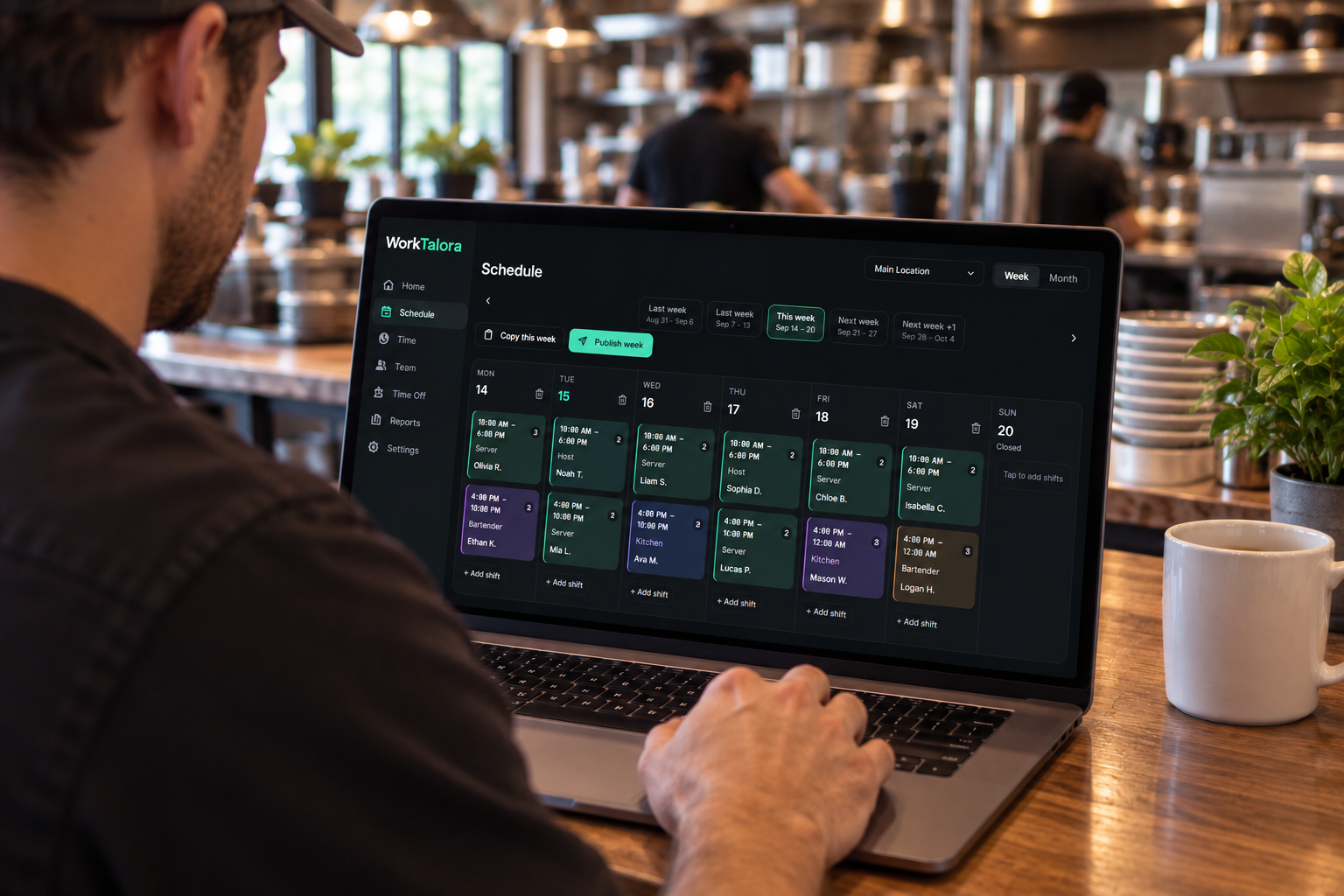
What you get
Weekly shift schedule builder
Assign people, positions, and locations for the week, then publish. Employees who match a position show first, and anyone unavailable is marked so you don't schedule over a request.
One-tap clock in and out
Staff clock in, out, and take breaks from their phone. Hours are captured as they happen instead of being written on a sheet and typed in later.
Live view of who's working
The manager dashboard shows who is clocked in, who is late against your tolerance settings, and how the rest of the week is covered.
Schedule and time-off alerts
Employees are notified when they are scheduled or removed from a day. Managers get time-off requests, shift notes, and missing clock-in alerts.
Payroll-ready exports
Finalize a pay period to lock a payroll snapshot from completed shifts, then export CSV. Open shifts stay active and roll into the next period.
Works on any device
Add WorkTalora to a phone home screen, or run a shared tablet in Time Clock Mode with PIN clock-in for on-site teams.
How employee scheduling works in WorkTalora
- 1
Create your company
Sign up, name your business, set your hours, positions, and late tolerances.
- 2
Add your team
Invite employees by email or share a company join code. Assign each person the positions they can cover.
- 3
Publish the schedule
Build the week, publish it, and everyone sees their shifts on their own device.
- 4
Track hours and run payroll
Employees clock in and out, you review time entries, finalize the pay period, and export the hours.
Who it's built for
WorkTalora is made for shift-based businesses with hourly staff, such as cafes and restaurants, retail shops, salons, clinics, gyms, cleaning and service crews, and any small team where coverage changes week to week. If you currently text the schedule out or post it on a wall, this replaces both.
- Managers who rebuild the same weekly roster by hand
- Owners chasing missed punches before every payroll run
- Teams that need to see coverage gaps before the shift starts
- Businesses tracking time off, availability, and hours in separate places
Employee scheduling questions
What is employee scheduling software?
It's a tool that replaces paper rosters and spreadsheets: you build shift schedules in one place, employees see their shifts on their phone, and worked hours are recorded automatically for payroll.
How many employees can I schedule?
Starter covers up to 10 active employees at $24/month, Growth up to 20 at $59/month, and Business is unlimited at $99/month. You can change plans as your team grows.
Can employees clock in from their own phones?
Yes. Employees clock in, clock out, and record breaks from any device. You can also run a shared tablet in Time Clock Mode where staff clock in with a PIN.
Does it handle time-off requests?
Employees submit a start and end date for time off, managers approve or deny, and approved time off is flagged while you build the schedule.
Is there a free trial?
Every company starts with a 30-day free trial. No credit card is required to begin.
Put next week's schedule together in minutes
Start your 30-day free trial, add your team, and publish your first schedule today.